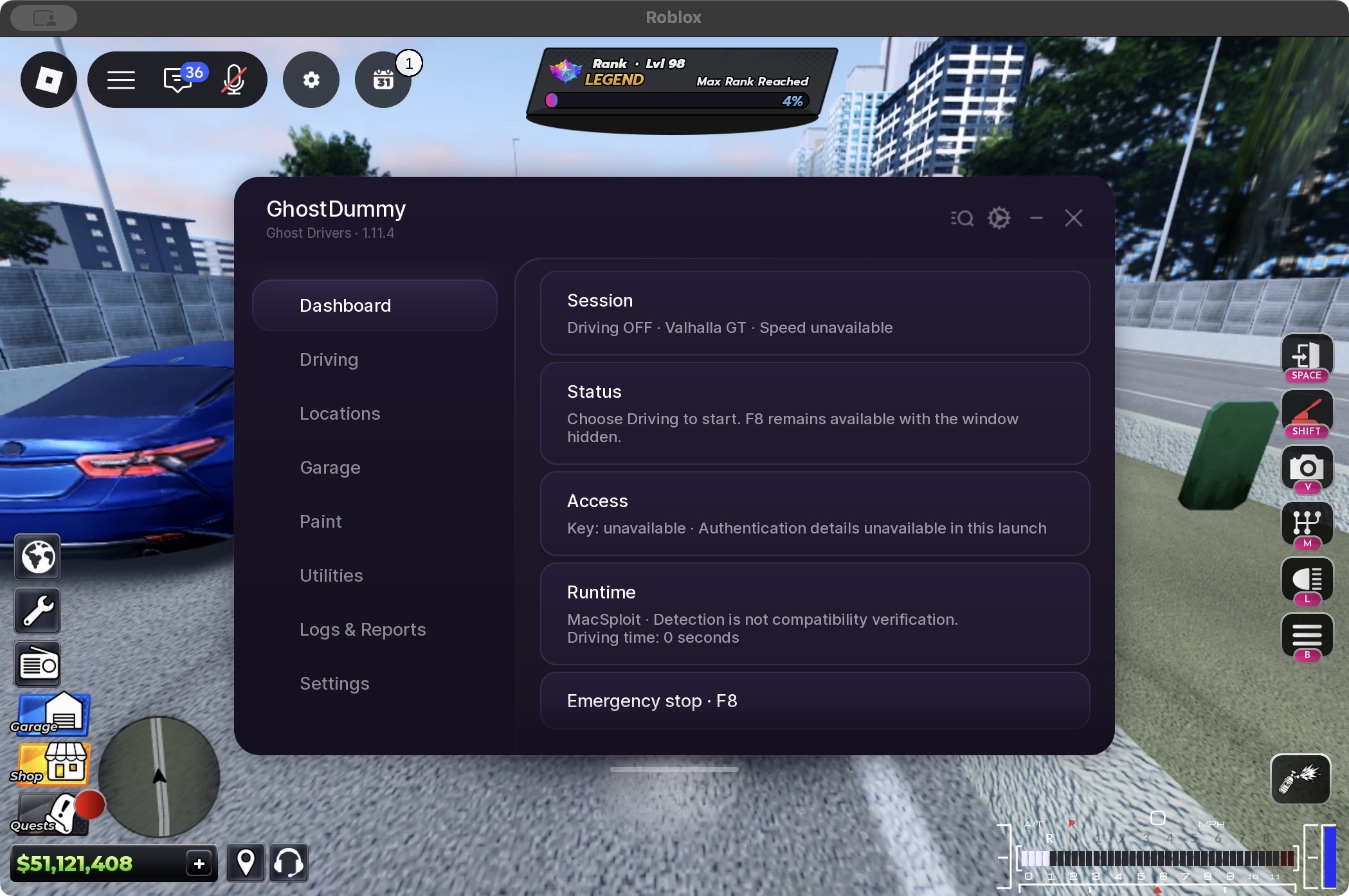
Copy the command, then run it in your supported Roblox script environment.
How to get started
Three steps to open the panel.
1
Run the script
Join Ghost Drivers. Execute the copied command to open the key screen. You need an owned Valhalla GT, Wulfbrecht RZ7, Voss RT10 TT, Novis N55, Reinhardt RT32, Veloure Veyrix or Reinhardt 918Z for supported driving.
2
Get your key
Choose LootLabs, Work.ink or Linkvertise for a free key, or buy a paid key from the store. Paste your key into the script and select Unlock.
3
Choose your speed
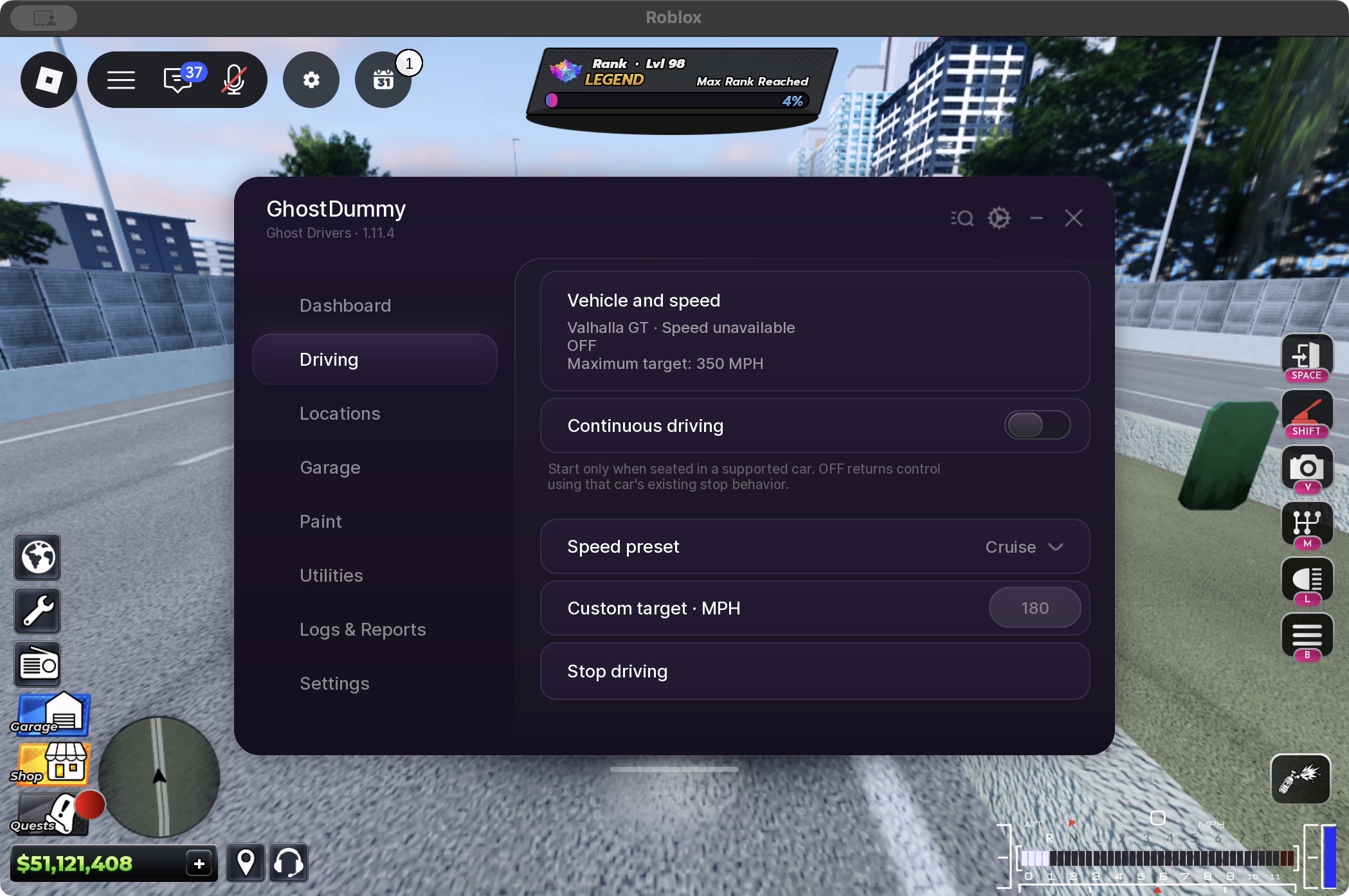
Select your car while OFF, near the supported highway route. Choose Cruise, Fast, Max, or a custom dashboard MPH target. The Voss RT10 TT profile is capped at 301 dashboard MPH; actual speed varies with traffic and bends. Switch ON to drive; OFF or F8 ends assistance. In Novis N55, RT32, Veyrix and 918Z, take over steering and braking immediately.
A target, not a promise.
Choose Cruise, Fast, Max or a custom dashboard MPH target and adjust it while driving. Traffic and bends can reduce the actual speed. The Voss RT10 TT target is capped at 301 dashboard MPH; Novis N55 and RT32 at 200 dashboard MPH. Veyrix supports targets up to 250 dashboard MPH; this is a target cap, not a guaranteed speed. Reinhardt 918Z defaults to 180 dashboard MPH with a 200 dashboard MPH target cap.
Switch Driving OFF or press F8 to end assistance. Novis N55, RT32, Veyrix and 918Z immediately hand steering and braking back to you. Right Shift hides the panel.
GhostDummy UI preview on 1.11.4 · Driving · captured in game.
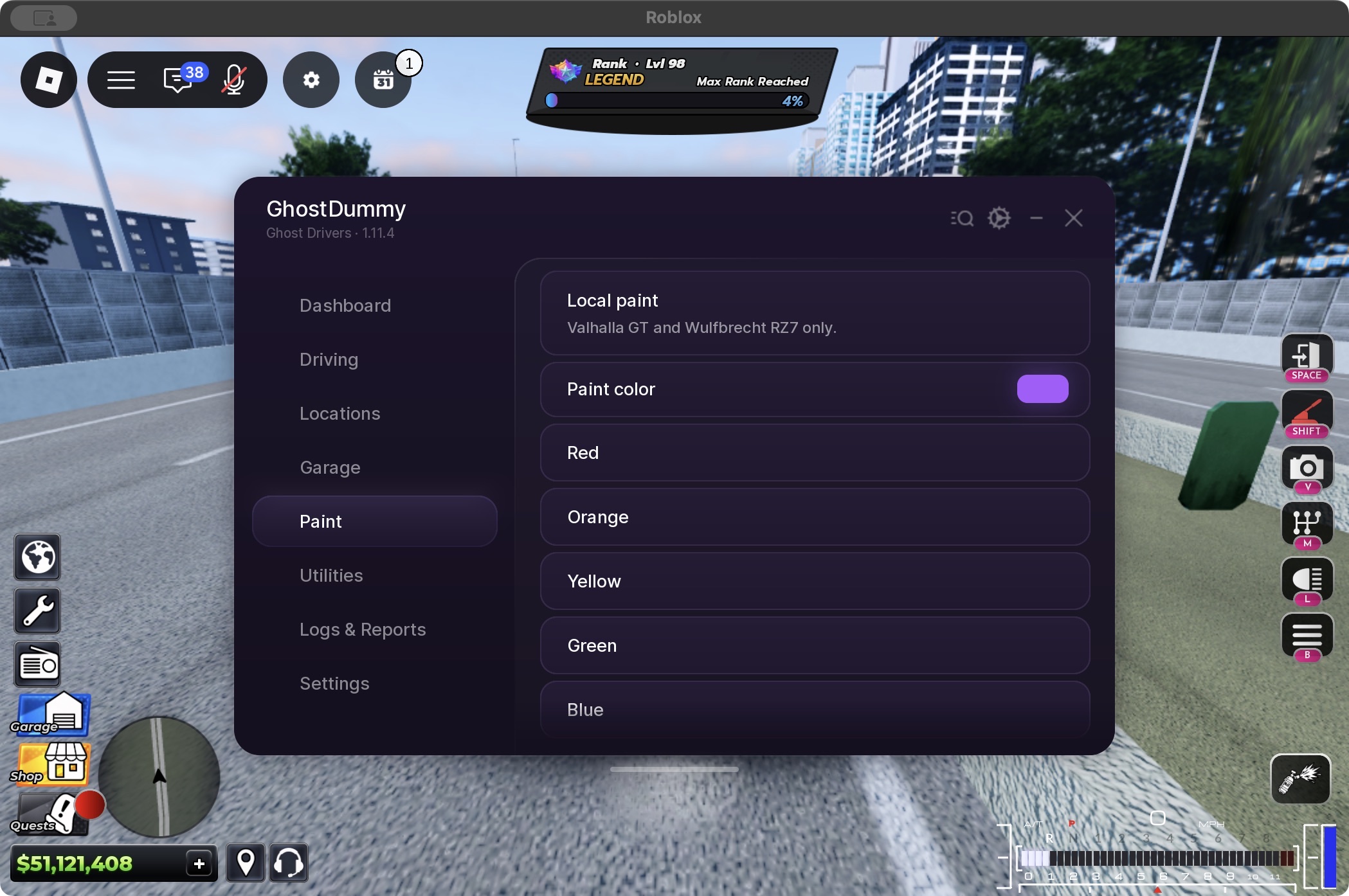
Paint, on your screen only.
For Valhalla GT and Wulfbrecht RZ7, choose a preset or enter RGB values, then cycle through the full hue range at an adjustable 2–30 second period. Restore the original appearance at any time.
Paint changes are local to your view and are not saved as game upgrades.
GhostDummy UI preview on 1.11.4 · Paint · captured in game.
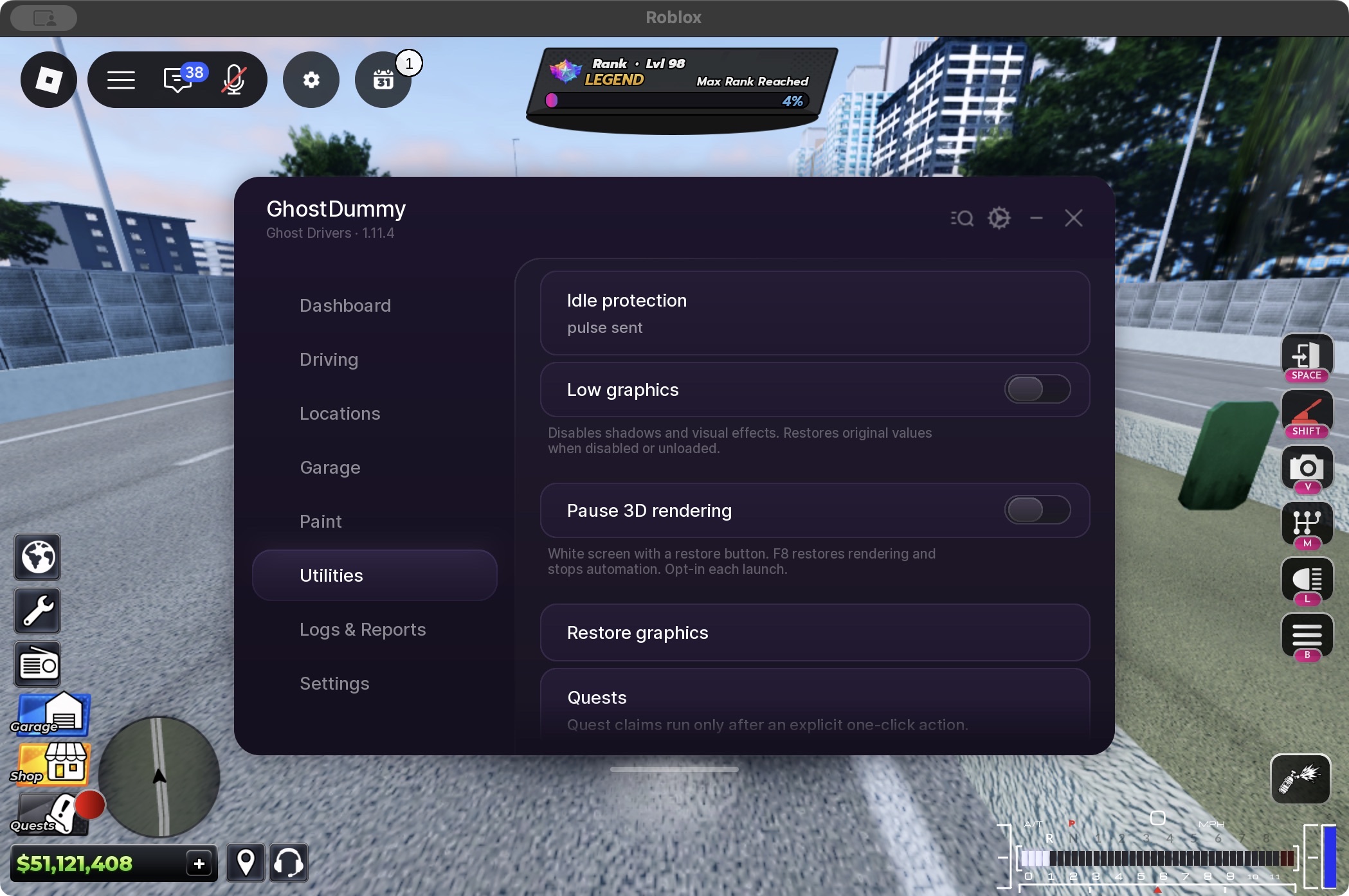
A lighter AFK session.
Reduce shadows and visual effects with Low graphics, or pause 3D rendering behind a white screen. Both are optional and start off. F8 restores rendering and ends assistance.
Utilities also offers explicit claims for completed, unpaid quests. Paid rerolls and skips are excluded.
GhostDummy UI preview on 1.11.4 · Utilities · captured in game.
ON/OFF control, physical route assistance and recovery from recoverable interruptions for Valhalla GT, Wulfbrecht RZ7, Voss RT10 TT, Novis N55, Reinhardt RT32, Veloure Veyrix and Reinhardt 918Z. For Novis N55, RT32, Veyrix and 918Z, OFF/F8 releases assistance immediately; take over steering and braking.
Your speed target
Cruise, Fast, Max or a custom dashboard MPH target. Adjust speed while driving; traffic and bends can reduce the actual speed.
Four location shortcuts
Use the Locations tab for the dealership, customization pads, highway race and gas station. Travel moves your character while driving is OFF and you are out of the car.
Fastest supported owned car
The Garage tab selects an owned Valhalla GT, Wulfbrecht RZ7, Voss RT10 TT, Novis N55, Reinhardt RT32, Veloure Veyrix or Reinhardt 918Z by the game's listed speed. It never buys a car or starts driving. Upgrades are not ranked.
Local paint controls
For Valhalla GT and Wulfbrecht RZ7, choose a preset or enter RGB values, then cycle through the full hue range at an adjustable 2–30 second period. Restore the original appearance at any time. Paint changes are local to your view and are not saved as game upgrades.
Make the panel yours
The panel adapts to your screen. Drag the title bar, choose whether to show your account, and save your hide/show key in Settings. Right Shift is the default.
Optional quest claims
Utilities offers one-click claims for completed, unpaid Daily or Weekly quests that the open game UI marks claimable. Locked objectives, paid rerolls and skips are excluded; availability depends on the supported game UI and adapter.
Keys and support
Saved-key revalidation where executor storage is available, email recovery for paid purchases, and in-script bug reports with optional technical information.
Live feature checks were performed on MacSploit. Other executors and Windows remain unverified; availability depends on their APIs. Paint controls currently cover Valhalla GT and Wulfbrecht RZ7 only; the effect is reversible and local, not a saved game upgrade. Crash immunity is deferred. Driving and Garage support Valhalla GT, Wulfbrecht RZ7, Voss RT10 TT, Novis N55, Reinhardt RT32, Veloure Veyrix and Reinhardt 918Z. The Voss RT10 TT target is capped at 301 dashboard MPH; this is not an attained-speed guarantee. Novis N55 supports a target up to 200 dashboard MPH. OFF/F8 hands Novis, RT32, Veyrix and 918Z control directly to the driver; it does not park automatically. No crash-free runtime or earnings result is guaranteed.
Compatibility and requirements
What you need before the panel is useful.
Game
Ghost Drivers on Roblox, with a compatible script environment.
Driving and Garage
Valhalla GT, Wulfbrecht RZ7, Voss RT10 TT, Novis N55, Reinhardt RT32, Veloure Veyrix and Reinhardt 918Z. You need to own a supported car.
Paint
Valhalla GT and Wulfbrecht RZ7 only. Local, reversible, not a saved game upgrade.
Speed
Cruise, Fast, Max or a custom dashboard MPH target. Voss RT10 TT is capped at 301 dashboard MPH; a cap is not an attained-speed guarantee.
Executors
Live feature checks were performed on MacSploit. Windows and other executors have not completed live qualification; a visible GUI alone does not prove driving compatibility.
Keys
A key stays unbound until its first successful use in the script, then locks to that Roblox account.
Stop and hide
F8 ends assistance. Novis N55, RT32, Veyrix and 918Z require immediate driver steering and braking. Right Shift hides or shows the panel by default; change it in Settings.
Guarantees
None for crash-free runtime, earnings or top speed. Crash immunity is deferred.
Choose your plan.
One-time payment. Full driving controls. No subscription.
GhostDummy 1.11.8 organizes Dashboard, Driving, Locations, Garage, Paint, Utilities, Logs & Reports, and Settings in one panel. Driving and Garage support owned Valhalla GT, Wulfbrecht RZ7, Voss RT10 TT, Novis N55, Reinhardt RT32, Veloure Veyrix and Reinhardt 918Z cars. The Novis N55 and RT32 targets are capped at 200 dashboard MPH. Veyrix supports targets up to 250 dashboard MPH; this is a target cap, not a guaranteed speed. The Voss RT10 TT target is capped at 301 dashboard MPH; traffic and turns can lower actual speed. Paint is local to your view, and completed quest claims require an explicit action.
Which cars and speed options are supported?
Driving and Garage support owned Valhalla GT, Wulfbrecht RZ7, Voss RT10 TT, Novis N55, Reinhardt RT32, Veloure Veyrix and Reinhardt 918Z cars. Select Cruise, Fast, Max, or a custom dashboard MPH target. The Novis N55 and RT32 targets are capped at 200 dashboard MPH. Veyrix supports targets up to 250 dashboard MPH; this is a target cap, not a guaranteed speed. The Voss RT10 TT target is capped at 301 dashboard MPH. Traffic and turns can require lower speeds; a target cap is not a guaranteed attained speed.
How do I use Driving and Garage?
Choose a supported car you own and a speed target, then explicitly switch Driving ON. The Garage page selects an owned supported car by the game-listed speed; it does not buy a car or start driving. End assistance with OFF or F8. In Novis N55, RT32, Veyrix and 918Z, immediately take over steering and braking. Traffic, turns and game changes affect results.
What does the Utilities page do?
Utilities includes optional Low graphics and Pause 3D rendering controls. Both start off; F8 restores rendering and ends assistance. It can also claim completed, unpaid Daily or Weekly quests that the open game screen marks claimable. You choose the claim action; locked objectives, paid rerolls and skips are excluded. Availability depends on the supported game UI and adapter. This does not promise a particular cash result.
Can I change paint with GhostDummy?
Local Paint controls currently support Valhalla GT and Wulfbrecht RZ7. Choose a preset or enter RGB values, use the full-hue cycle at a 2–30 second period, or restore the captured original appearance. Paint changes are local to your view and are not saved game upgrades.
How do I get a free Ghost Drivers key?
Select Get free key on this page or Get key in the script. Choose an available provider and complete its tasks in the same browser, copy the issued key, and paste it into the script to unlock. No purchase is required; provider tasks are required.
How long does a key last, and when does it bind?
A free LootLabs, Work.ink or Linkvertise key lasts 6 hours from issuance. Paid keys last 2, 7 or 30 days from first activation; lifetime keys cover the supported lifetime of GhostDummy. It stays unbound until its first successful use in the script, then locks to that Roblox account. Getting a key in your browser does not bind it.
Can I buy a key instead of completing provider tasks?
Yes. The store offers one-time USD plans: $3 for two days, $5 for seven days, $15 for 30 days, or $30 for the supported lifetime of GhostDummy. Paid time starts on first activation. Refunds are available within seven days of payment if the key has not been activated. Contact Discord support with your order ID.
Will the script remember my key?
After successful unlock, the key is saved locally when executor file storage is available. Reloads validate it with the server again. Expiry, revocation and account binding still apply. Without file storage, it can only be remembered in the current executor session.
How do I stop, hide or update GhostDummy?
For Novis N55, RT32, Veyrix and 918Z, OFF or F8 immediately releases assistance; take over steering and braking. Other supported cars retain their existing stop behavior. The configurable Settings key hides or shows the panel; Right Shift is the default. For an update, switch OFF, wait for the car to stop and cleanup to finish, then execute the same loader again and unlock.
Can GhostDummy earn more than $1 million per hour?
$1M+ in-game cash per hour. Earnings vary with your car, upgrades, traffic, combo and boosts. Results are not guaranteed.
Does GhostDummy guarantee crash-free driving, earnings or top speed?
No. Traffic and turns can require lower speeds, and game or executor changes can affect behavior. GhostDummy does not guarantee crash-free runtime, earnings or an attained speed. Crash immunity is deferred.
How do I recover a paid key?
Use Recover a purchase on the website and enter the email used at Stripe Checkout. A secure recovery link lets you retrieve the key without saving an order ID or recovery code before payment. Check spam if the email is missing.
Does GhostDummy work on Windows or other executors?
Live feature checks were performed on MacSploit. Windows and other executors have not completed live qualification. The interface and unlock flow require compatible executor APIs; a visible GUI alone does not prove driving compatibility.
More to come. GhostDummy is still being built and the Dummy Scripts collection is growing; new games will have their own supported features and access plans. Demos and release notes are posted on Discord.
Usage & privacy
Bug reports are sent only when you select Submit bug report in Logs & Reports. Technical info is optional and shares your key-bound Roblox user ID, build, executor, driving state and up to 20 recent GhostDummy state/error events with staff admin and private Discord. No console, chat, unrelated scripts or keys are collected in the snapshot. Descriptions stay in admin. Admin reports are retained for 90 days; Discord copies remain until staff deletes them. A crashed process cannot reliably send a final report. Never include passwords or keys in a report.
Website reports require a user-provided Discord username so staff can follow up; the username is not authenticated. Reports are private to staff and retained for 90 days. Join Discord and open a support ticket with your report reference for a conversation.
The website counts daily page and loader requests, plus a short allowlist of campaign source tags. These aggregate counters do not store IPs, cookies, full URLs or browser identifiers. Counts can include repeat visits and bots.
After unlock, ScriptBlox records script sessions, five-minute heartbeats, a hashed Roblox player ID, game IDs, locale, device category, and executor details. It determines country from the connection. Keys and owner credentials are not passed to analytics. A hashed player ID is a persistent identifier; it is not anonymous.
The key service stores a hash of your key, its expiry, the Roblox account ID supplied on first use, and load activity. Keep your key private. Revocation blocks future downloads; it does not withdraw an already running or saved copy.